The new version of MonoCard Connector 3.0 has arrived to transform the way you and your team network. With a series of advanced features, Connection 3.0 establishes itself as one of the most powerful networking tools on the market. Below, we explain how this tool can benefit your company and how to make the most of its functionalities.
How Monocard Connection 3.0 Works
Real Connections: The Engine of Networking
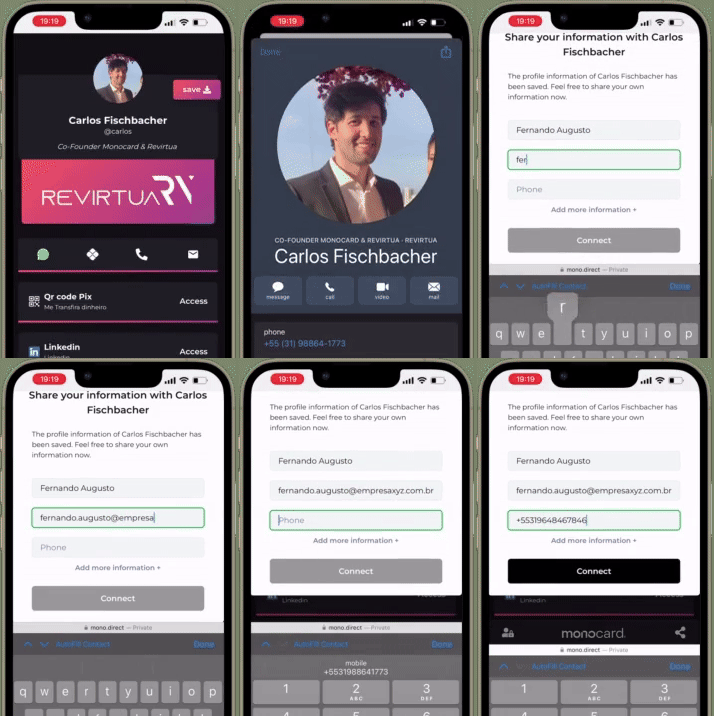
Monocard Connection 3.0 allows you to capture your leads' contacts directly through your Monocard profile. With this feature, you not only share your contact information but can also receive the leads' information back, thus creating a mutual and effective connection. This is done quickly and easily using the "Save Contact" button integrated into your profile.
Efficient Lead Management
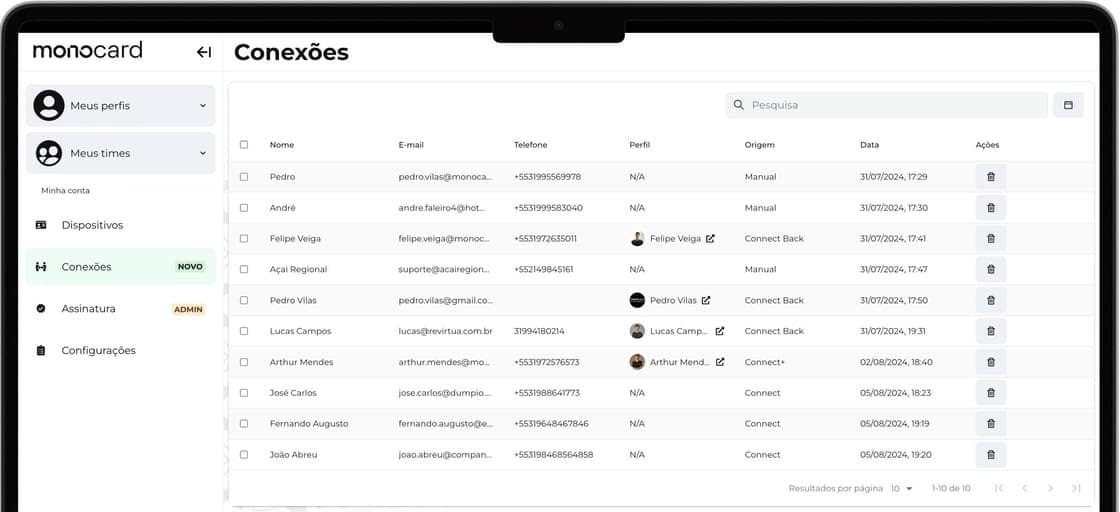
After capturing leads, Connection 3.0 offers robust tools to manage them efficiently. You can organize your leads, adjust data, delete irrelevant connections, export information, and even visit your lead's Monocard profile directly on the platform. This effective management helps turn leads into real business opportunities, increasing your conversions and boosting your sales.
Immediate Notifications
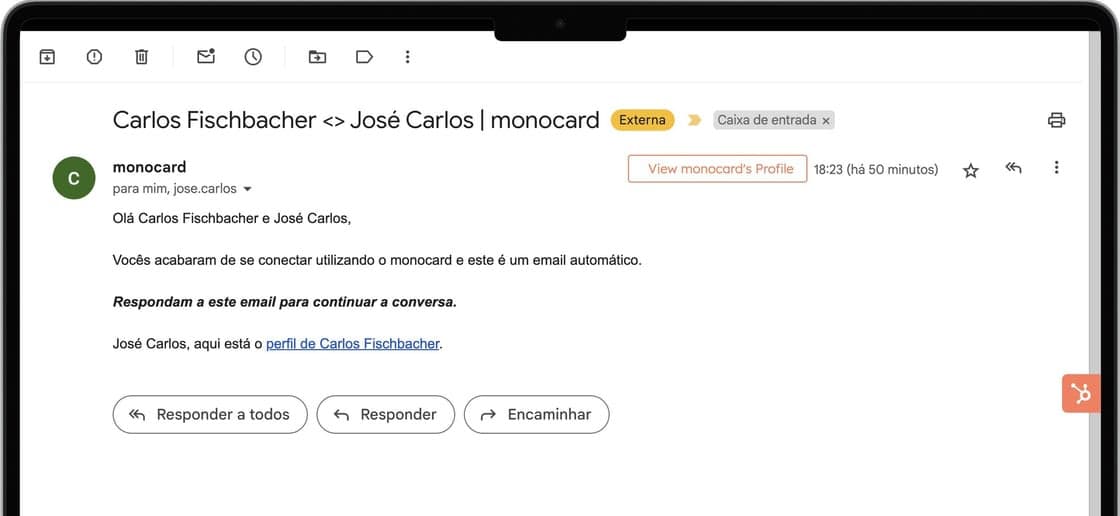
To ensure you don't miss any opportunities, Monocard Connection 3.0 automatically sends an email whenever a new connection is made, with the lead in copy. This keeps you informed and ready to act quickly.
Automatic Connection for Logged-in Clients
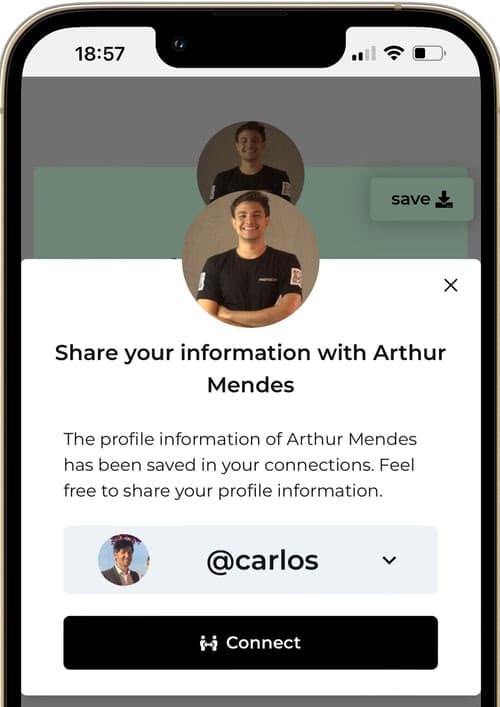
Clients logged into the Monocard platform can connect automatically without the need to fill out additional forms. This feature simplifies the connection process and makes networking faster and more efficient.
Corporate Management
Companies using the Monocard corporate plan can manage all their members' connections in one place. This allows for a consolidated view of connections and facilitates smarter and more organized lead management.
Did this article not help you?
Contact our support team via the website chat, WhatsApp, or by email at contato@monocard.com.br.