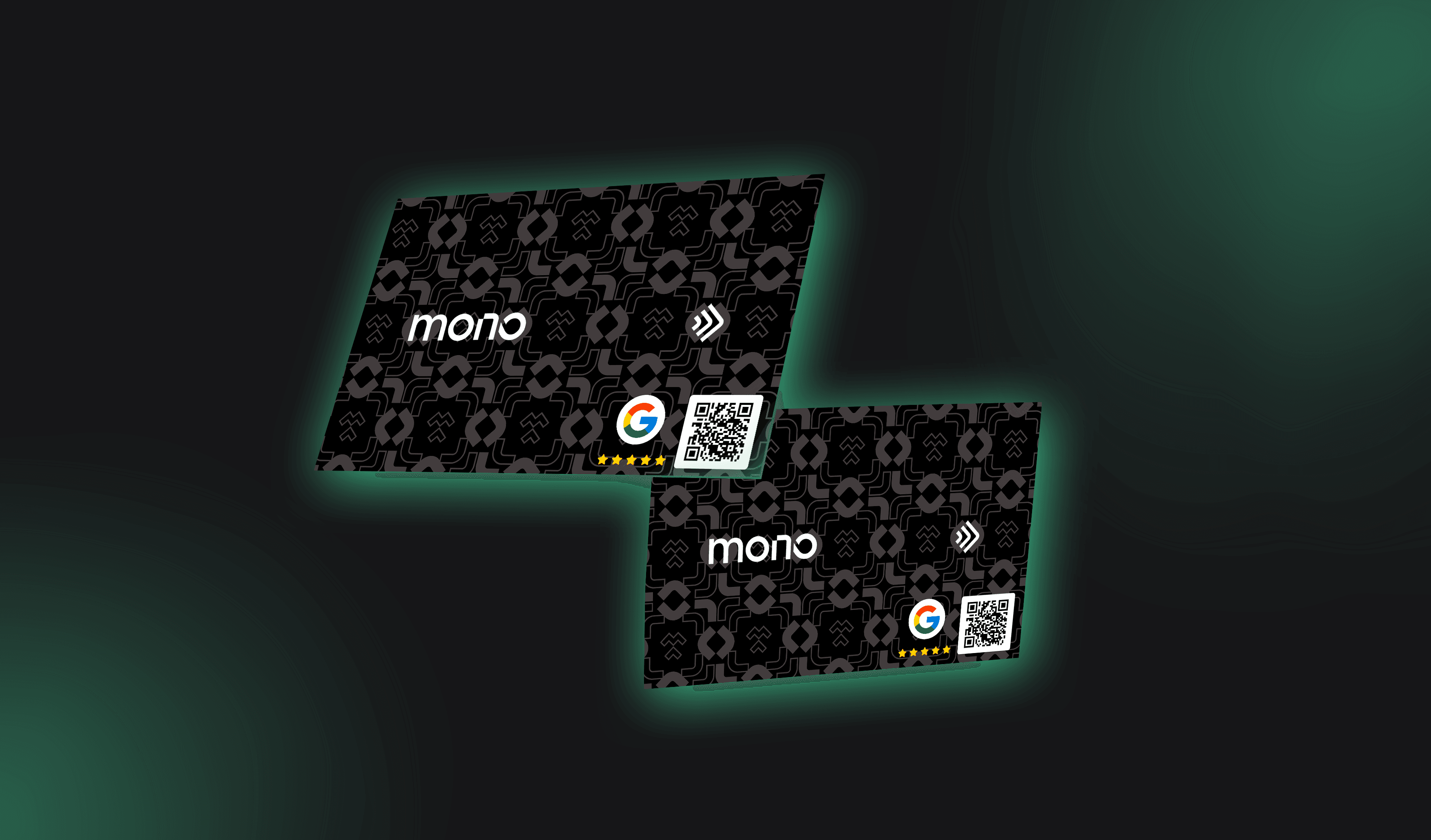
Have you ever heard that the best marketing tool for a business is word of mouth? This statement is correct, as when we recommend a product or service to someone, we are validating that solution as trustworthy.
In the digital age, even if differently, recommendations remain very valuable. In this sense, using the Google review business card is an effective strategy to improve your online reputation.
In this content, we will show you how to create your Google review card and the best practices to have a good reputation on the internet.
Why do Google reviews matter so much?
In today's digital landscape, Google reviews are not just complements but central pieces for the success of any business. They determine how customers perceive your brand, influence purchasing decisions, and help highlight your company amid the competition.
For many entrepreneurs, the main difficulty is turning a positive experience into public feedback. Customers, no matter how satisfied they are, do not always remember to review or find the process complicated. This is where Google review business cards come in: a practical solution that combines technology and accessibility to facilitate feedback.
This guide was created to help you understand, implement, and reap the benefits of this powerful strategy.
What are Google review business cards?
Google review business cards are simple yet extremely effective tools designed to direct your customers straight to your company's review page on Google. Unlike traditional cards, which deliver static information, digital cards offer interactivity, convenience, and measurable results.
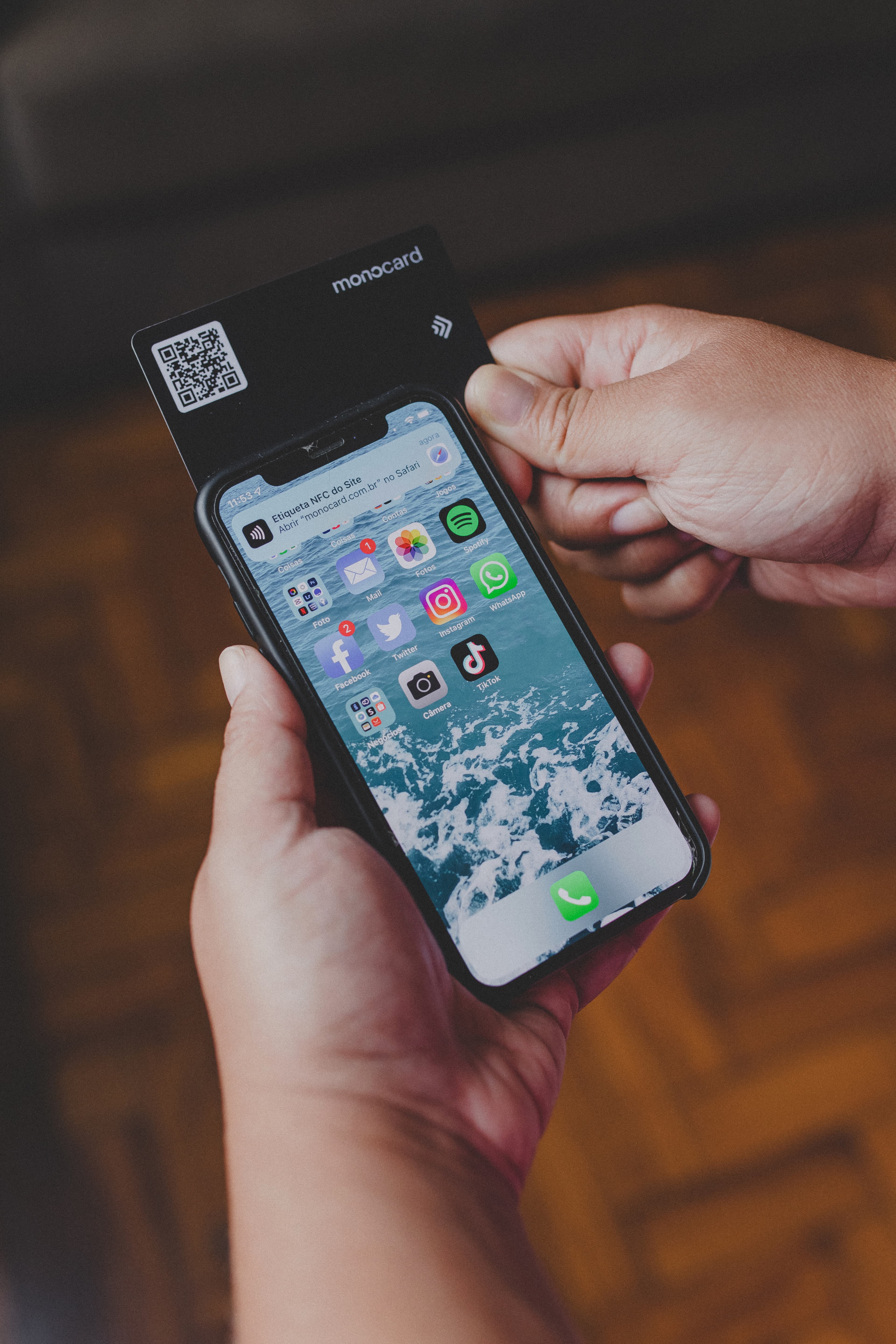
With just one click or scanning a QR Code, the customer can leave their review, eliminating steps that might discourage them from giving feedback.
Practical examples of use:
- Restaurants deliver digital cards with a "Review us" button along with the receipt, simplifying the path to feedback.
- Service professionals, such as consultants and dentists, send personalized cards via email or WhatsApp after the service.
- Retail stores include QR Codes on packaging or tags, connecting the physical experience to the digital world.
The cards can be fully digital, printed with QR Codes, or a combination of both, depending on your needs and audience.
Why are Google reviews vital?
The importance of reviews goes far beyond the number of stars displayed next to your company's name. They are a reflection of the customer experience and directly influence your market performance.
Impact on local SEO
Google prioritizes businesses with consistent and positive reviews in its local searches. If your company appears at the top of Google Maps, it's because the reviews indicate relevance and quality.
Building trust
Studies show that more than 85% of consumers trust online reviews as much as personal recommendations. Having an active and well-maintained review page is essential for generating credibility.
Purchase decision
Detailed and positive reviews help potential customers overcome objections. A consumer who reads about good experiences from other customers is more likely to do business with you.
How do Google review business cards work?
Google review business cards simplify the feedback process by creating a direct shortcut between the customer and your review page. Here's how they work in practice:
Link generation in Google My Business
The first step is to generate a short link to your company's review page, available on the Google My Business dashboard. This link is the basis of the card.
- Access the Google My Business dashboard: If you haven't set up your Google My Business account yet, the first step is to create it and complete your business profile. This includes information such as name, address, phone number, and opening hours.
- Get the review link: Within the control panel, go to the "Get more reviews" section and click to generate a direct link to the review page. This shortened link allows your customers to be taken directly to the screen where they can review your company, without having to search for your name on Google or go through unnecessary steps.
This link is the basis of your digital business card, whether physical or electronic. The more direct and easy it is for the customer to access your review page, the higher the response rate will be.
Configuration in a digital or physical card
Now that you have the review link, it's time to set it up on a business card — whether in digital or physical format.
-
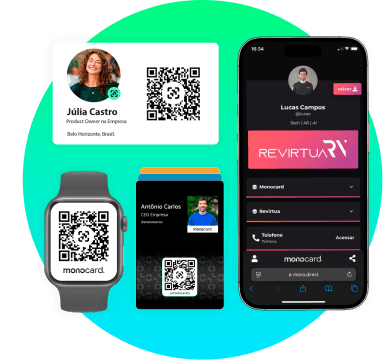
Digital cards: Platforms like Monocard allow the creation of personalized digital cards, including clickable buttons or QR Codes that automatically direct customers to your review page. Here are some tips to maximize the effectiveness of your digital card:
- Attractive design: Ensure the card is visually pleasing and aligned with your brand identity. Add a clear message, such as "Review us on Google" or "Did you like our service? Leave your opinion!"
- Eye-catching call-to-action (CTA): Use a clear and persuasive CTA, such as "Click here and help us grow with your review."
- Mobile adaptability: Since most customers use smartphones, your digital card needs to be fully responsive and easy to navigate.
-
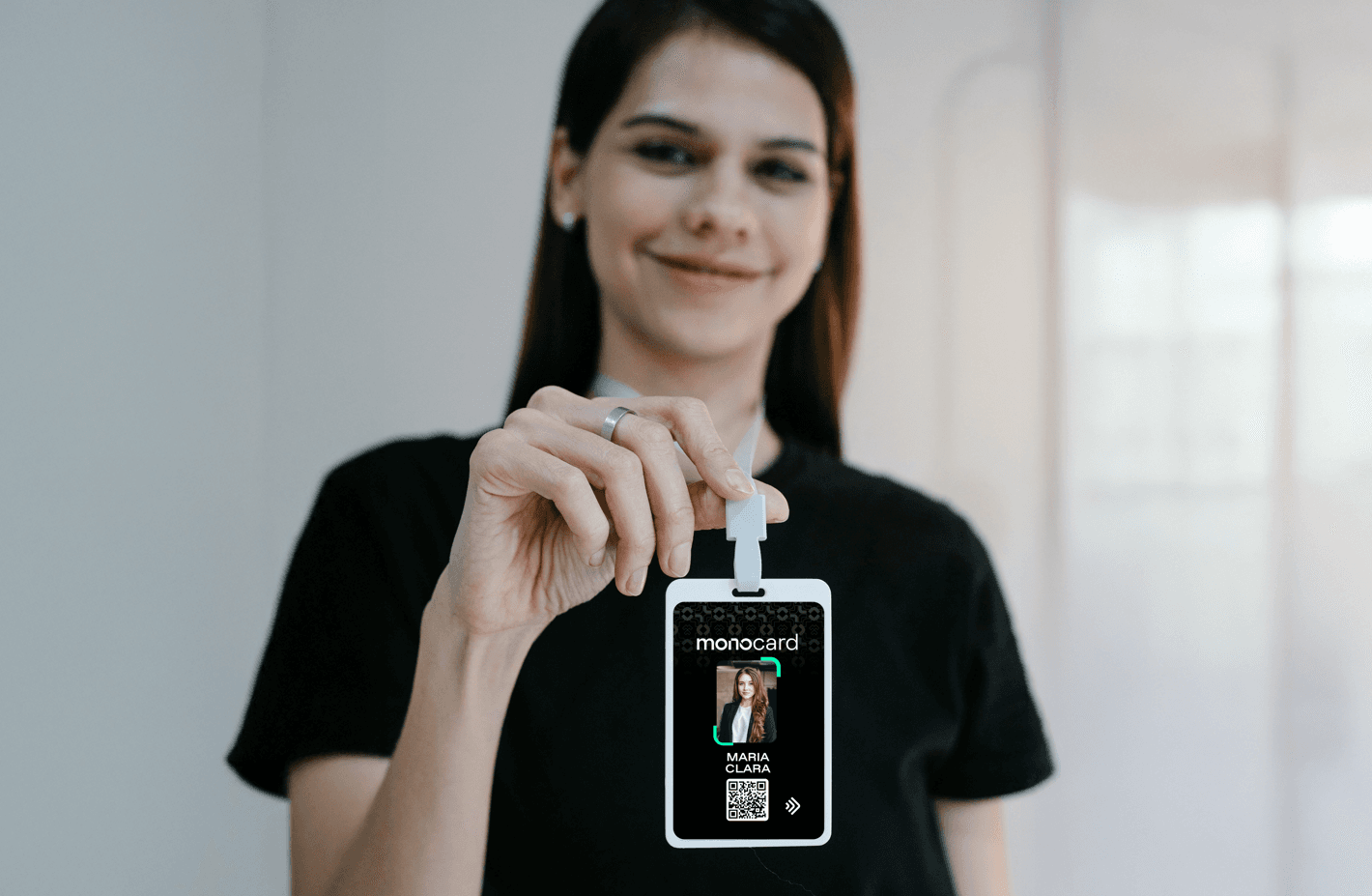
Physical cards with QR Code: If you prefer a physical model, the QR Code is the ideal way to transition from physical to digital. By including the QR Code on the business card or other promotional materials, you facilitate the review process for those on the go. With a simple scan, the customer will be redirected directly to the Google review page.
Distribution to the customer
The distribution of your business card should be done with timing and strategy. It's not enough to just hand out the card — you need to choose the right moment to maximize the chances of the customer leaving a review. Some good practices include:
- After a positive experience: The ideal time to request a review is right after delivering a quality service or product. This can be at the end of a purchase in a store, after a dinner in a restaurant, or at the end of a consultation with a professional.
- Via email and WhatsApp: A digital card can be automatically sent via email marketing or WhatsApp, with the message "Thank you for trusting us, help us with your review." In this case, Monocard allows you to create personalized links to be sent through these channels easily and practically.
- At events and face-to-face appointments: Physical cards with QR Code can be handed to the customer as part of the checkout process or at the end of a consultation. This can also be done at events, where immediate feedback can be collected effectively.
Customer action
What really makes a review business card work is the simplicity of the process for the customer. After receiving the card, the customer should be able to leave their review with as little effort as possible. Here is the ideal review process:
- Click or scan: If it's a digital card with a link, the customer clicks directly on the button or review link. If it's a physical card, they can scan the QR Code with their phone, which will take them immediately to the Google review page.
- Leave the review: The customer then fills out the review, assigning the number of stars they deem appropriate and writing a comment if they wish. For a smooth experience, Google My Business already offers the option to review with just stars, but encouraging a comment whenever possible can yield even more positive results.
The simplicity of this process is what really increases feedback conversion. The fewer steps the customer has to follow, the higher the response rate will be.
Benefits of review business cards for Google reviews
Review business cards for Google offer a range of benefits for businesses of all sizes. They not only make the feedback collection process more efficient but also help improve your brand image, increase your visibility, and generate valuable data to enhance service and customer care. Let's explore in detail how these tools can drive your business growth.
Barrier reduction: make the review process easier
One of the biggest challenges faced by companies is simply convincing customers to leave a review. Even if consumers are satisfied with the experience, many do not leave feedback because the process seems complicated or time-consuming. Digital business cards help solve this problem by simplifying the path to the review as much as possible.
- Instant accessibility: With a QR Code or direct link, the customer can access the review page with a single click or scan, without the need to search for the company's name or navigate through other pages. This eliminates barriers that could prevent the customer from completing the review.
- Friction reduction: The more steps the customer needs to take, the less likely they are to leave a review. By facilitating this process, you increase the chances of receiving feedback, expanding your review base.
This level of ease and convenience results in more customers willing to share their experiences, which in turn positively impacts your digital performance.
Increased visibility: more reviews, more prominence
Google reviews play a fundamental role in local search ranking. Google prioritizes businesses that have consistent and positive reviews, making these businesses stand out more in related searches. This means that the more reviews you have, the greater your visibility in search results.
- Local relevance: Positive reviews help your business appear at the top positions on Google Maps, increasing the chance of being found by nearby consumers. If your business has good reviews, it will be considered a more reliable and relevant option, which improves your ranking.
- Increased online and physical traffic: In addition to appearing in searches, the quantity and quality of reviews can also attract more traffic to your website or physical store. The simple fact of having reviewers sharing their positive experiences can generate a wave of new customers.
Therefore, a larger number of reviews not only increases your exposure but also contributes to attracting more visitors and potential customers.
Valuable insights: direct learning from your customers
Google reviews are one of the richest sources of direct and spontaneous feedback you can get from your customers. In addition to providing a clear view of their satisfaction, reviews also help identify strengths and areas that need improvement.
- Constructive feedback: Customers often highlight what they liked and what can be improved. This allows you to understand the areas of your service or product that need adjustments, without the need for expensive or time-consuming surveys.
- Pattern identification: Through the analysis of reviews, you can identify trends and behavior patterns. For example, if many customers mention the quality of a specific product or praise the speed of service, this can be used as a competitive advantage. If there are recurring criticisms about an aspect, such as waiting time or service quality, you can focus on improvements in that area.
These valuable insights provide practical and specific information that helps refine your business strategy, constantly improving the customer experience.
Continuous engagement: creating lasting relationships with customers
Customers who review your company are not just numbers on a list. They demonstrate a higher level of engagement with your brand, which can translate into greater loyalty and retention over time.
- Continuous interaction: The simple fact of a customer leaving a review already indicates that they are interested in your brand and probably want to contribute to the growth of your business. This creates an opportunity for continuous engagement — whether by responding to reviews or implementing the suggestions that customers provide.
- Customer loyalty: Customers who leave reviews feel more connected to your brand, which can increase the likelihood of repeating the purchase or service use. A well-managed interaction with reviews, such as responding quickly and showing gratitude for the feedback, can turn these customers into brand advocates.
Through a well-executed engagement strategy, you can cultivate lasting relationships and promote customer loyalty.
Differentiation from the competition: innovation and customer care
In saturated markets, differentiating yourself from the competition is essential. Digital business cards for Google reviews are not just a practical way to get feedback; they also convey the message that your company is ahead in terms of innovation and customer experience.
- Attention to detail: By offering a simplified and accessible review experience, your company demonstrates care for the customer experience. This shows that you are willing to go the extra mile to ensure the customer has a frictionless journey and that their opinion is valued.
- Modern image: By adopting digital solutions, such as personalized business cards with QR Codes, your company positions itself as a modern brand, adapted to current trends and customer concerns. This creates a positive image of your company, which is attentive to innovation and the use of technology to improve the relationship with its consumers.
In summary, differentiating yourself through innovative solutions like review business cards can be one of your greatest assets for creating a solid and competitive image in the market.
Strategies to encourage customers to review on Google
Even with practical tools like review business cards, encouraging customers to leave feedback requires a strategic approach. After all, the customer needs to feel that their opinion is valuable and that the process will be quick and uncomplicated. Here are some proven strategies:
Simplify the process as much as possible
The key to getting more reviews is to make the process as easy as possible for the customer. The fewer steps they need to take, the more likely they are to complete the review. Direct links and QR Codes are essential tools to achieve this goal. By providing a clear and quick path to the Google review page, you eliminate any friction that might prevent the customer from completing the process.
These links and QR Codes can be incorporated into your digital business cards, making access even more convenient, whether via email, WhatsApp, or face-to-face interaction. The practicality of these resources reduces the need for the customer to manually search for the review page, which can be discouraging and increase the dropout rate.
Ask at the right moment
Requesting a review at the right moment is crucial to increasing the response rate. The best opportunity occurs right after a positive interaction when the customer is still emotionally engaged with the experience they had with your company. This strategic timing makes the review request more natural and effective.
For example, at the end of a purchase or after an excellent service, the customer is more inclined to share their satisfaction. If the experience was positive, they feel motivated to leave feedback. Other ideal moments include after delivering a product or service, when the customer has already experienced the benefits of what they acquired, or even in a thank-you email or WhatsApp message, where the feedback request complements the tone of gratitude.
Use Clear and Persuasive Calls-to-Action
The way you ask for the review makes all the difference. Calls-to-action (CTAs) that are clear and persuasive help guide the customer in a friendly and direct way. Avoid complications and use simple instructions that show exactly what the customer needs to do and why it is important.
Phrases like: “Did you like our service? Your opinion is very important to us!” or “Help other customers get to know our work. Review us on Google.” not only reinforce the request but also value the customer's feedback, making the request more personal and meaningful.
Other variations, such as “Your review helps us improve more and more,” reinforce the positive impact the review will have, making the customer feel part of a continuous improvement process.
These approaches make the review request not only clearer but also more engaging, encouraging the customer to act immediately.
Offer light incentives
While it's important not to condition reviews to rewards, small gestures can encourage participation. Examples:
- Offering a gift, such as a discount or coupon, as a thank you after the review.
- Holding raffles among customers who leave feedback within a specific period.
Be Proactive in Responding to Reviews
Responding to customer reviews is a powerful way to show that you value their opinion. Whether in positive or negative reviews, the response demonstrates professionalism and willingness to adjust to the customer's needs. By responding, you create an opportunity to strengthen the relationship with those who interact with your brand, in addition to showing transparency and commitment to continuous improvement.
When you respond quickly to a positive review, thanking the customer for the experience, you reinforce positive behavior, encouraging them to return. On the other hand, when the response is aimed at a negative review, it is essential to demonstrate empathy, take responsibility when necessary, and propose solutions.
Create a Culture of Continuous Feedback
Incorporating the request for reviews into your company's daily routine is essential to creating a culture of continuous feedback. The key is to train your team to see reviews as an opportunity for continuous growth and to improve the customer experience. Whether during a face-to-face or digital interaction, every contact with the customer is a chance to reaffirm the importance of their opinion.
By reinforcing this practice, you create an environment where the appreciation of feedback becomes a natural reflection of your business. This can be done from the moment of sale, with a simple review request at the end of the transaction, to the completion of services. The more your team incorporates this practice, the smoother the feedback collection process will be, and the easier it will be to increase your visibility and online reputation.
Benefits of Monocard in Capturing Reviews
Monocard is more than a digital card platform; it is a complete solution to enhance review capture strategies, customer engagement, and business intelligence.
Advanced personalization
With Monocard, you can create personalized digital cards, including:
- Direct links to Google reviews.
- Clickable buttons with personalized messages.
- QR Codes that facilitate access by mobile devices.
Easy and practical integration
Monocard offers an intuitive and hassle-free integration, allowing you to easily connect your digital cards to the communication channels you already use. This ensures a smooth experience, without the need for complex tools or time-consuming configurations. Whether sending cards via email, WhatsApp, or social networks, the process is quick and automated, allowing you to strategically and consistently share reviews with your customers.
- Multichannel and accessibility: You can distribute your business cards across various channels, such as email marketing, instant messaging, and social networks, without worrying about the technical adaptation of each platform.
- Automation and scalability: The integration allows you to optimize the review collection process, automating the sending of links and QR Codes to customers, whether on a large scale or in a personalized way, with minimal manual intervention.
This simplified process ensures that you save time and resources while maximizing feedback collection and customer engagement efficiently.
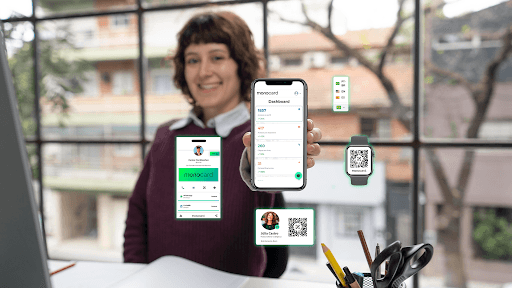
Real-time data and insights
Track detailed metrics on the performance of your cards. View:
- Number of clicks on links or QR Codes.
- Peak engagement times.
- Behavior patterns of your customers.
These data help adjust your approach and optimize results.
Dedicated support
Monocard offers specialized support, focused on ensuring that you never face difficulties alone. Our team is always ready to provide continuous assistance, offering quick and effective solutions for any need that arises.
Our service is highly personalized, tailored to the specifics of each business. We know that each customer has unique challenges, and that's why we work to offer agile responses and tailor-made solutions that meet your exact demands. Furthermore, our follow-up is continuous: we do not limit ourselves to solving specific problems, but strive to monitor the progress of your strategy, helping to constantly optimize your results and digital presence.
Monocard is committed to ensuring that you have the best possible experience. Our support is available through different channels, always with dedicated service, providing security and confidence so that you can focus on growing your business.
Conclusion
Google review business cards are more than a trend; they are a practical and scalable solution to improve your online reputation. With tools like Monocard, you can turn feedback into a growth engine, capturing reviews simply and strategically.
Ready to take the next step? Try the digital business cards** from Monocard** now and discover how easy it is to gain more reviews and strengthen your online presence.
Start for free