Monocard is a digital business card platform that offers various options to share your personal and professional profile with others. One of the available features is the option to share via offline QR Code.
With this feature, you can generate a QR code that contains the contact information of your Monocard profile, and when someone else scans this code with their phone's QR Code reader app, they can save this information directly to their phone's contacts, without needing an internet connection.
This is useful in situations where there is a lack of connection or difficulty accessing the internet, such as at offline events or meetings.
Additionally, it is also a secure way to share your contact details, as the data is saved directly on the phone of the person who scanned it, without the need to go through other platforms or devices.
How to generate an offline QR Code for your Monocard profile
-
Access monocard.me/login;
-
Log in to your account;
-
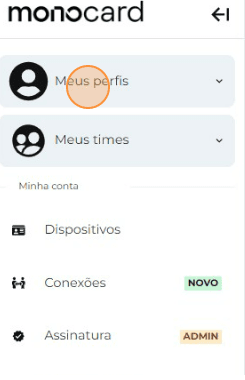
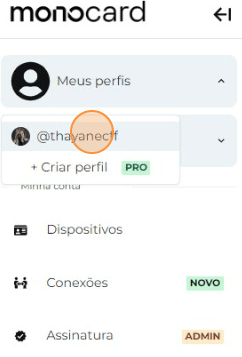
Click on "My Profiles" and select yours.
-
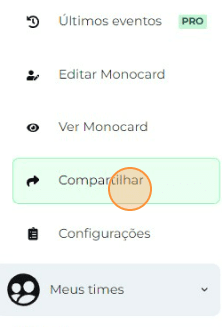
Click on Share on the left side of your editing panel;
-
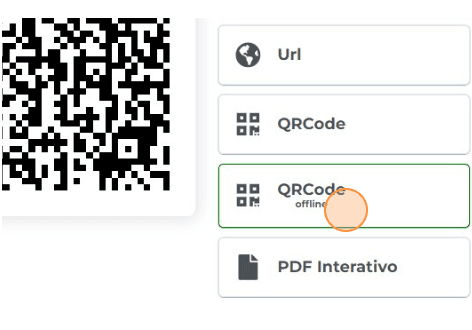
Click on the offline QRcode icon on the banner;
-
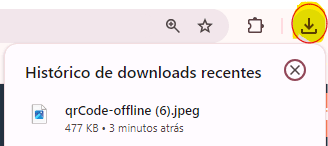
Done! The file will be automatically downloaded to your device.
Attention: remember to generate a new offline QR Code every time you make any changes to your profile.
With Monocard and its offline QR Code sharing option, you have a practical and secure way to share your contact details with others, even in situations without internet connection!
Information that might also help you:
Generating a QR Code for your virtual card
Understand how to use QRcode and NFC of Your Monocard
Did this article not help you?
Contact our support team via the website chat, WhatsApp or by email contato@monocard.com.br.