With this option, your contacts will be able to save your data directly to their phone's address book without the need for an Internet connection!
-
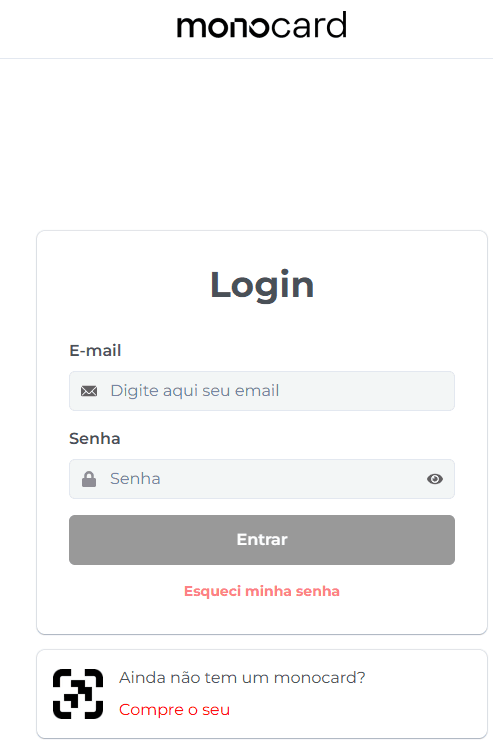
Access https://monocard.me/login
-
Fill in your email and password to access your Monocard account;
-
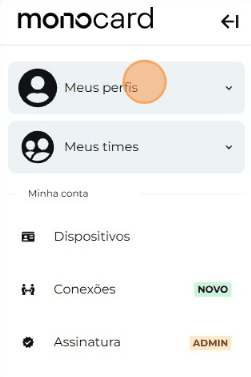
Click on "My Profiles" and access your Profile;
-
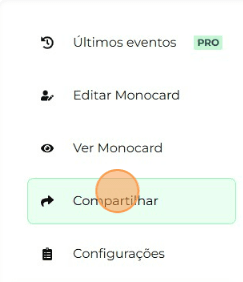
Click on Share in the Menu on the left side of the screen;
-
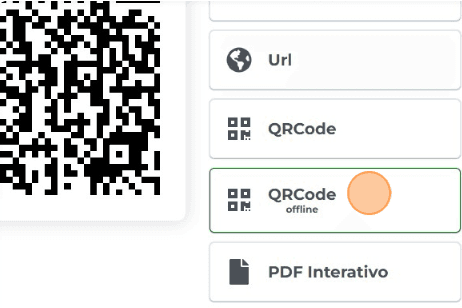
Click on "Offline QR Code";
-
A code will be generated and you can save it as an image in your gallery;
Remember: whenever you make any changes to your profile, you must generate a new Offline QR Code so that the code directs to the updated profile.
Information that may also help you:
Generating a QR Code for your virtual card
Understand how to use the QR code and NFC of Your Monocard
Did this article not help you?
Contact our support team via the website chat, WhatsApp or by email at contato@monocard.com.br.