These restrictions are applied to protect sensitive information and ensure that only authorized users can make changes. Here are some important points to consider:
- Editing Permissions: The group administrator can adjust editing permissions according to the desired level of standardization for employee profiles. This ensures that edits are made according to established guidelines, maintaining consistency and security of information within the group.
- Security: Editing restrictions help protect data security and prevent unauthorized changes that could negatively impact the platform's operation or user experience.
- Management and Control: To ensure effective management of editing restrictions, it is essential to define appropriate permission levels for users, continuously monitor activities to identify unauthorized changes, and regularly audit changes to ensure compliance with established policies.
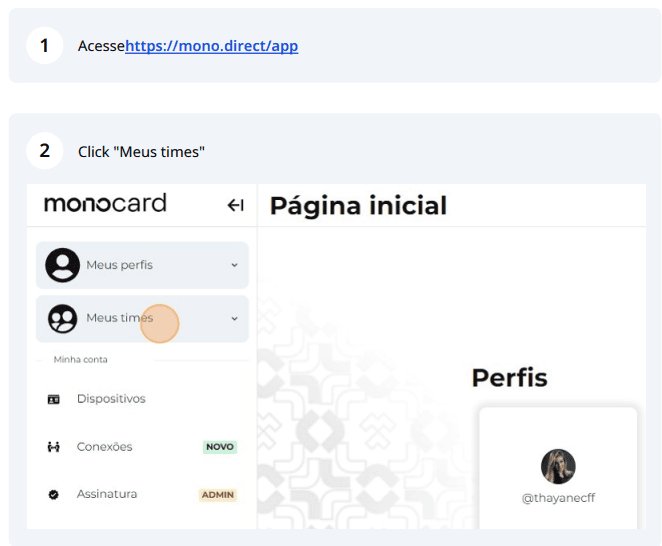
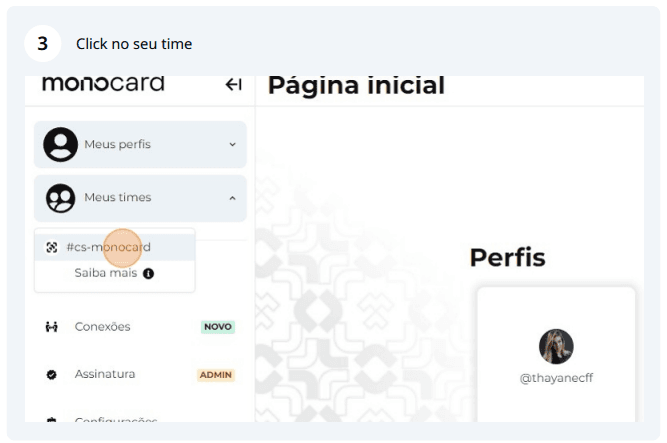
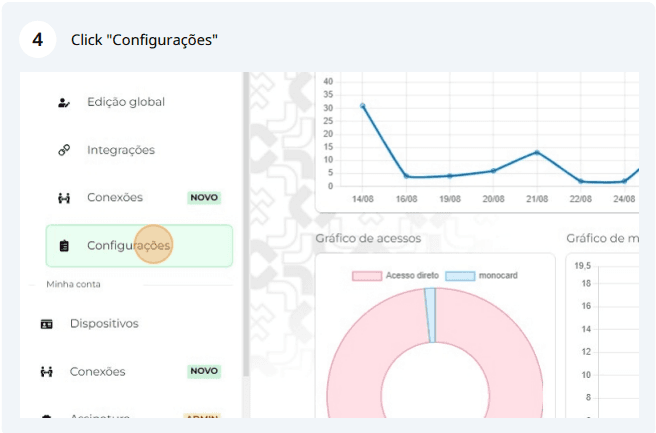
In the email restriction section, you must enter the company's domain so that only people with that domain can access the company's group in the Monocard system.
![]](/images/ajuda/restricoes-de-edicao/_5D.png)
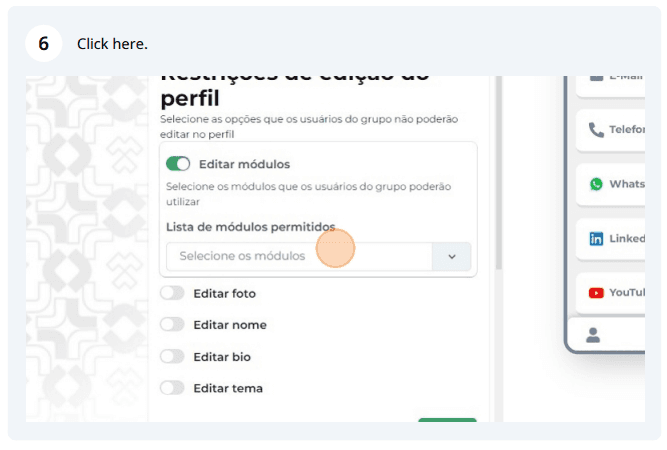
In the profile editing restrictions section, all options that can be allowed or blocked for editing are listed.
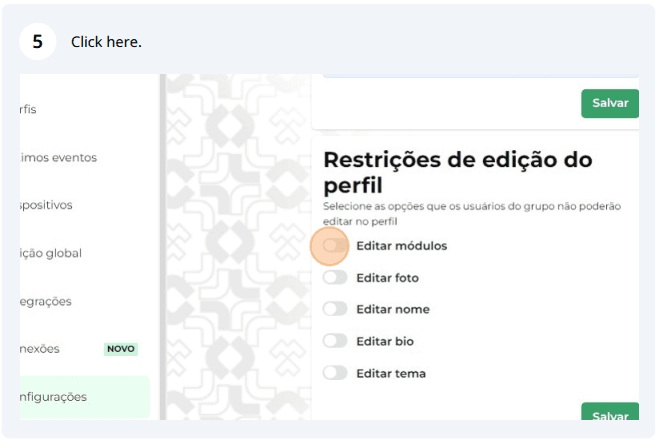
The module editing option covers all items that can be added to the Monocard user profile and inserted into the modules tab of profile editing.
Information that may also help you:
Learn about our Corporate Management plan
Learn how to edit your Monocard
Did this article not help you?
Contact our support team via the website chat, WhatsApp, or by email at contato@monocard.com.br.