We know that new ways of communicating are necessary in the connected world we live in today. Therefore, the debate about the need for bilingual options in products is growing – especially for English, the most spoken language in the world.
Now, your digital business card features bilingual integration and can be translated into English!
This integration adapts your profile to English if the person accessing it has this language set as the default on their phone system.
So, even if your profile is in Portuguese, when you share it with a device in English, it will be automatically translated.
Additionally, you can translate your profile and adopt English as the default language. Check out the image tutorial we prepared to guide you:
-
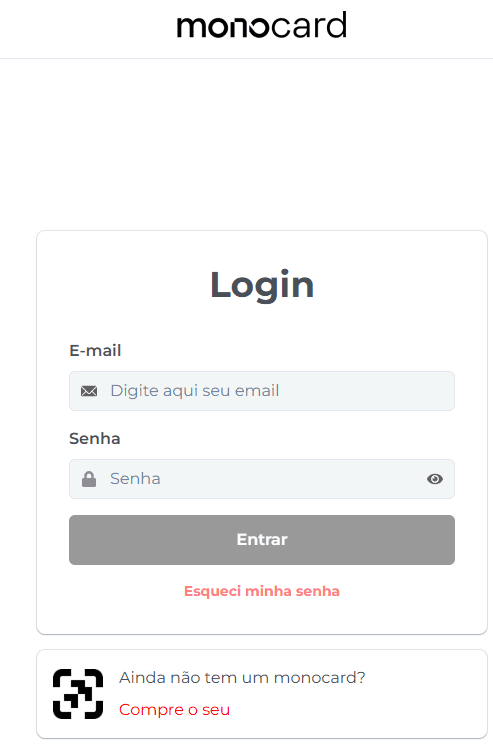
Access 👉**Monocard Platform**👈;
-
Fill in your email and password and click "Enter";
-
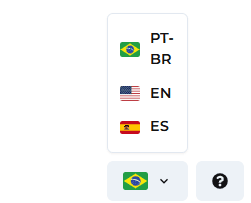
In the lower left corner of your panel, there is an option to choose the default language of your profile. Just click and change it to English, Portuguese, or Spanish.
Information that may also help you:
Save the Monocard Profile in the Phonebook
Did this article not help you?
Contact our support team via the website chat, WhatsApp or by email at contato@monocard.com.br.