Create your profile easily and modernly, and stand out in any professional occasion.
Why create your free Monocard profile?
- Practicality: Have all your contact information in one place.
- Sustainability: Reduce paper usage with a digital card.
- Immediate Update: Easily update your information whenever necessary.
Step-by-step to create your Monocard digital profile:
-
Access Here!
-
Next, a screen will show 4 filling steps. Complete all the requested data and click "Continue" at each step.
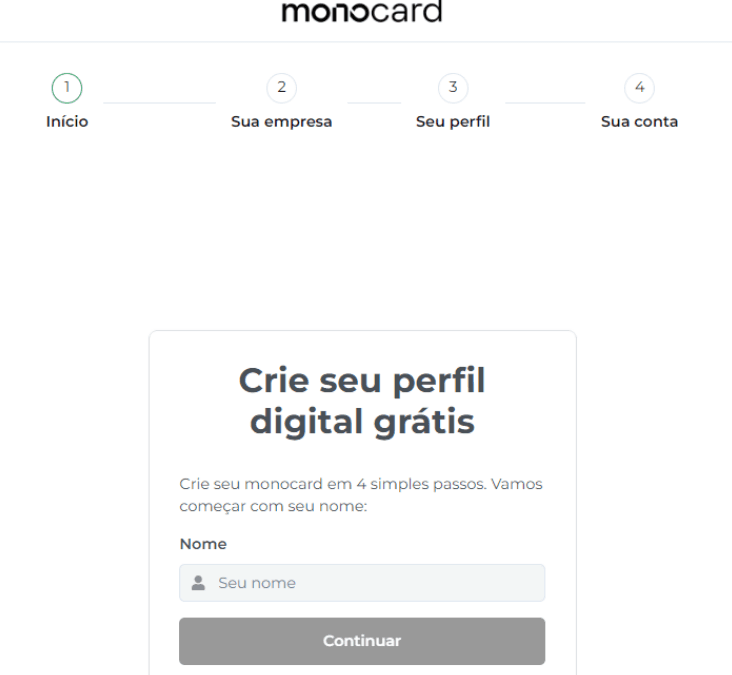
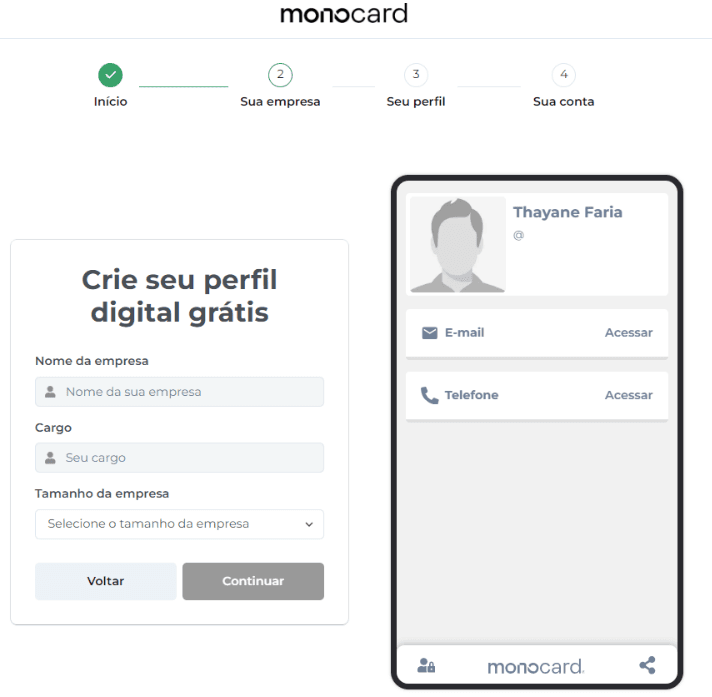
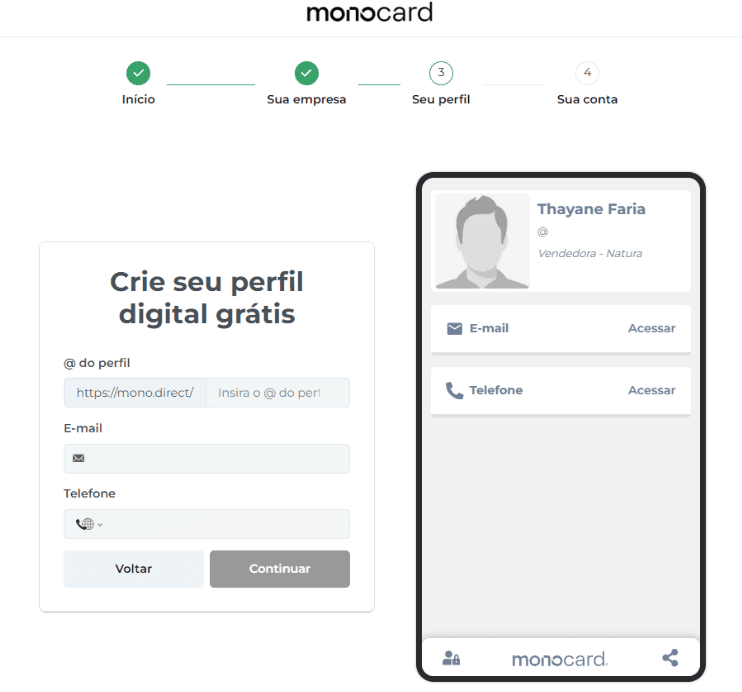
-
The @ of the profile is the name that will be used to create the access link to your profile.
-
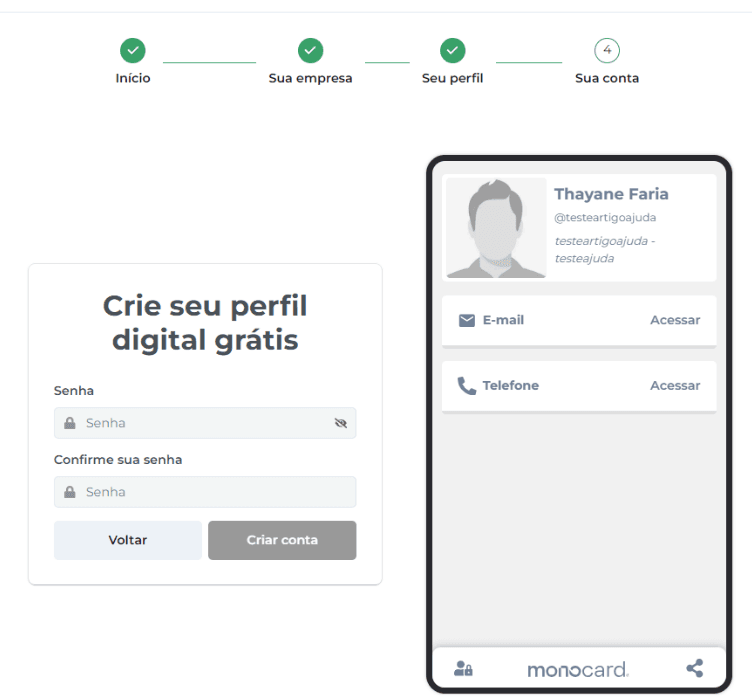
Finally, create a password and click "Create Account". Done, your free account has been successfully created!
With the free profile, you have access to:
- 1 Digital Profile
- 50+ Types of Links
- Up to 5 Connections
- Basic Metrics
- Support via Chat and Email
Ideal for those who want to share their digital business card or social networks!
Enjoy!
Information that can also help you:
Learn how to edit your Monocard
How to change the Order of Modules
Didn't this article help you?
Contact our support team via the website chat, WhatsApp or via email contato@monocard.com.br.