At Monocard, you can request your completely customized card without paying anything extra for it and with no minimum number of cards required.
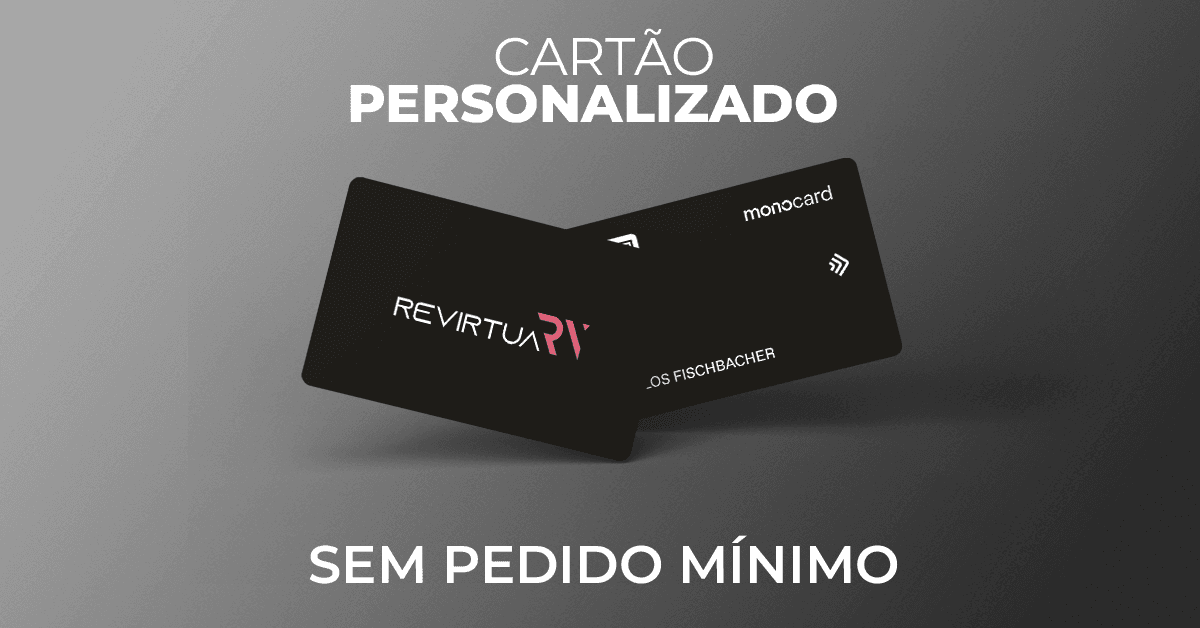
On one side, the desired name is printed, and on the other, the artwork (logo).
Can I choose any name?
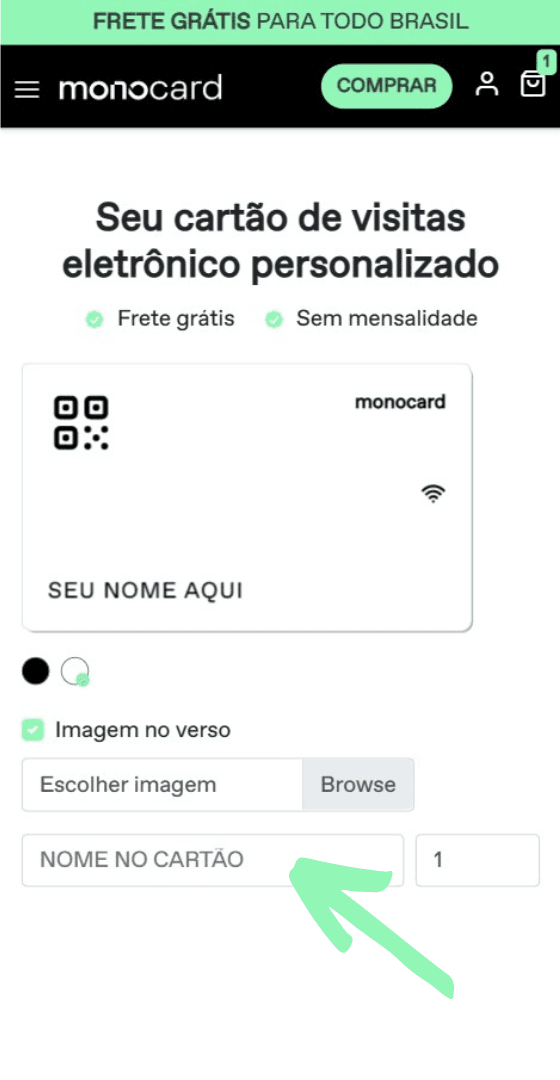
Yes! You choose the name that will be printed on the card at the time of purchase by filling in the available field on our website, as shown in the image below.
Can I leave it without a name?
Yes! You can fill in the field shown in the previous image with a space so that it remains empty. This way, your card will be printed without any name.
If I buy more than one card, can I insert different names?
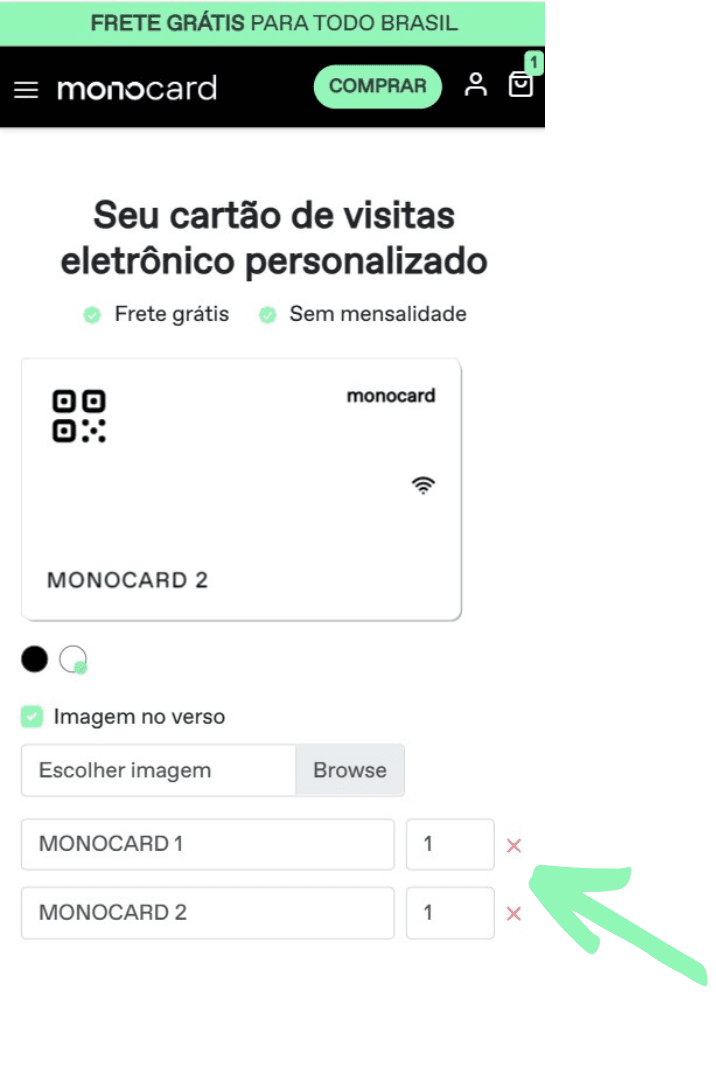
Yes! Just add a new card by clicking the Add card button on the same purchase page and enter the desired names, as in the image below:
How do I send my artwork?
You must send your artwork directly on our website at the time of purchase.
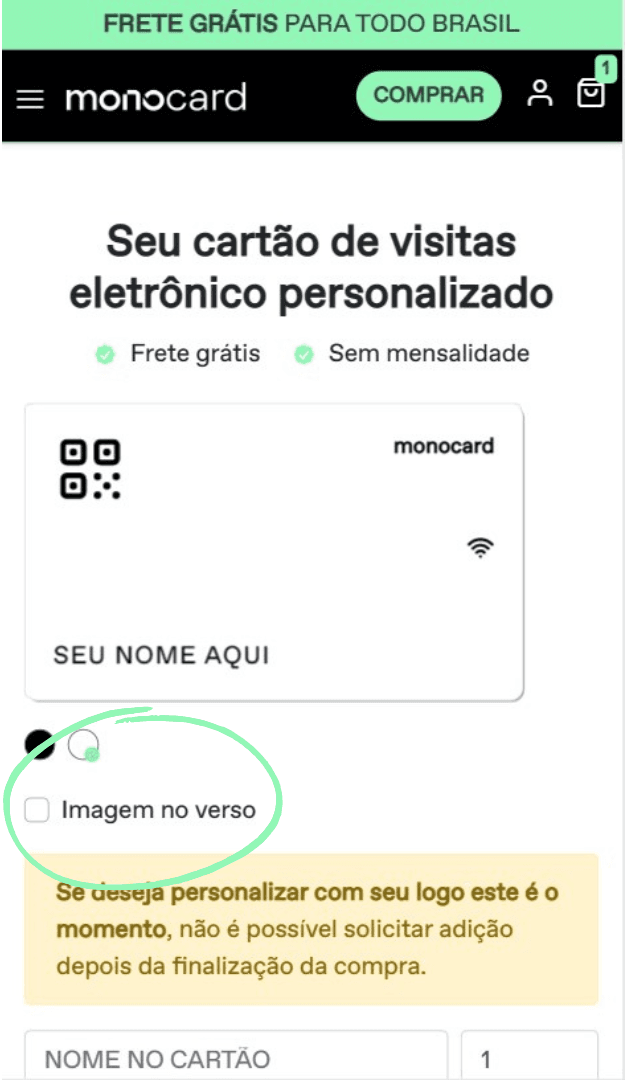
Click on the box with the description Image on the back, indicated below, and search for the image you want to add from your gallery.
If I buy more than one card, can I insert different logos?
Yes! To do this, you must create a card following the previous steps and send it to the cart, then start a new customization process to add the second card to the cart.

Is there a way to see the card before it is printed?
Yes! When you select an image from your gallery to insert on your card, our website provides a preview of how the print will look. See below!
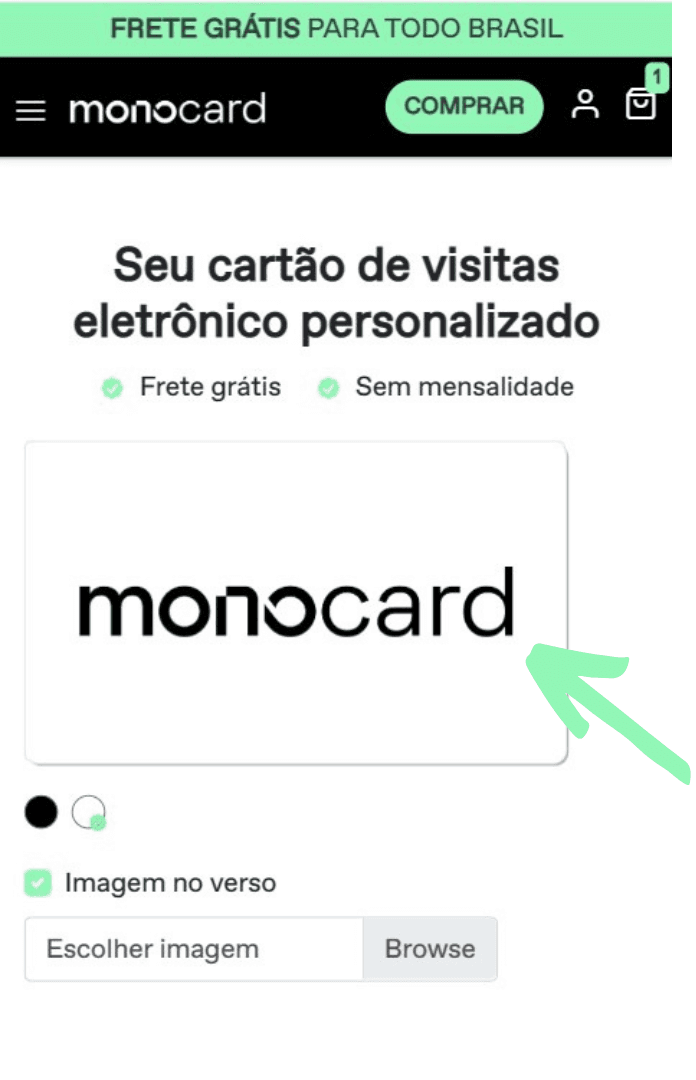
Remember to send the logo file in high quality! Your file must be in PNG format and with a transparent background.
The application will be made according to the color chosen for the card (black card = white logo | white card = black logo).
For printing, the size used is 54 x 85 mm, with an internal margin of 4 mm for the card content (name, logo, QR Code, etc.). To ensure everything is perfect, it is ideal to develop the image with a 2 mm bleed.
Remember that the image must be sent in high resolution. (3200x1900)
Still think it's not enough and want to redesign the card your way? For purchases over 10 cards, you can customize your Monocard according to your visual identity!
Contact our team to learn more.
Didn't this article help you?
Contact our support team via the website chat, WhatsApp, or by email at contato@monocard.com.br.