One of the features that Monocard offers for protecting your data is a password for accessing your online profile. If you want your information to be accessed only by people with your authorization, this is an option.
Activating password protection
- Access the Profile Editing panel;
- Enter your registered email and password during activation;
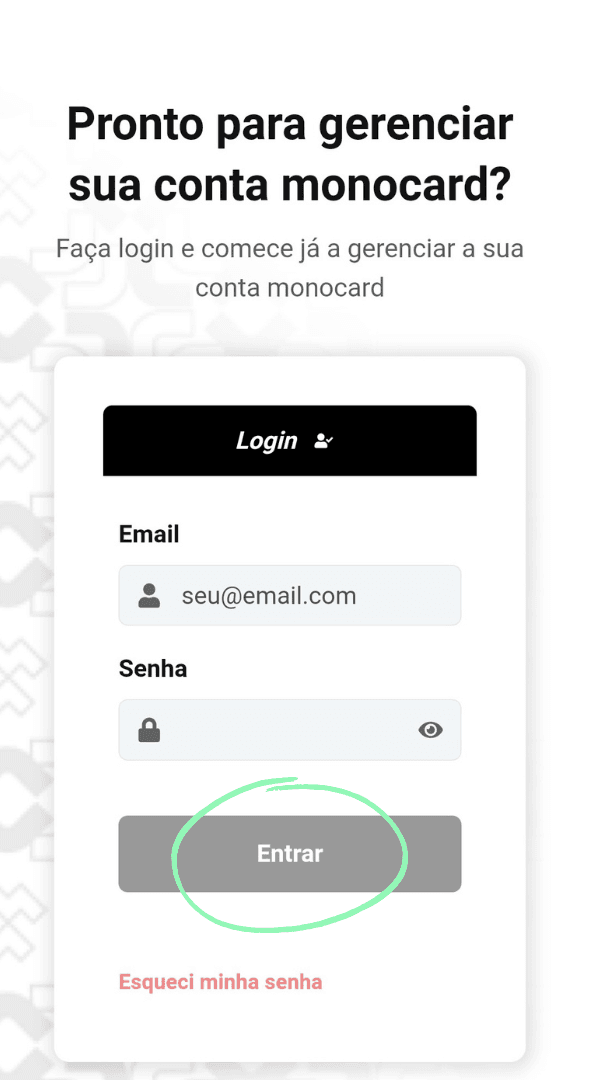
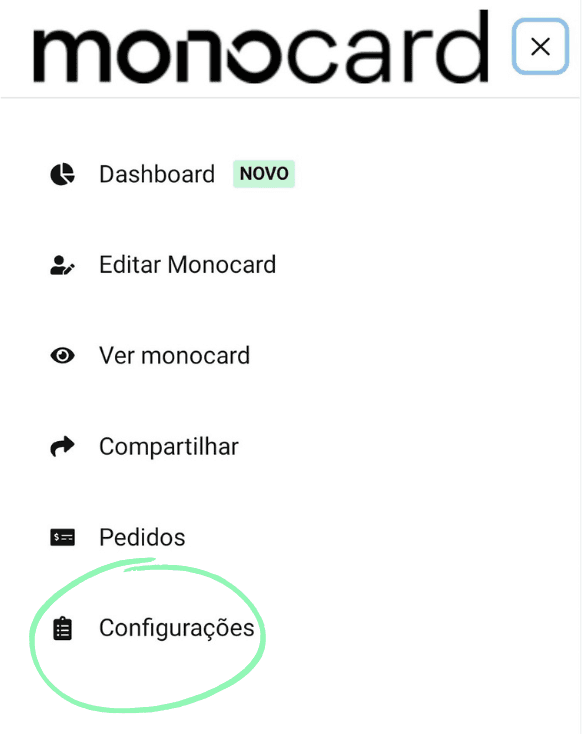
- There on the left side of your editing panel is the Settings button;
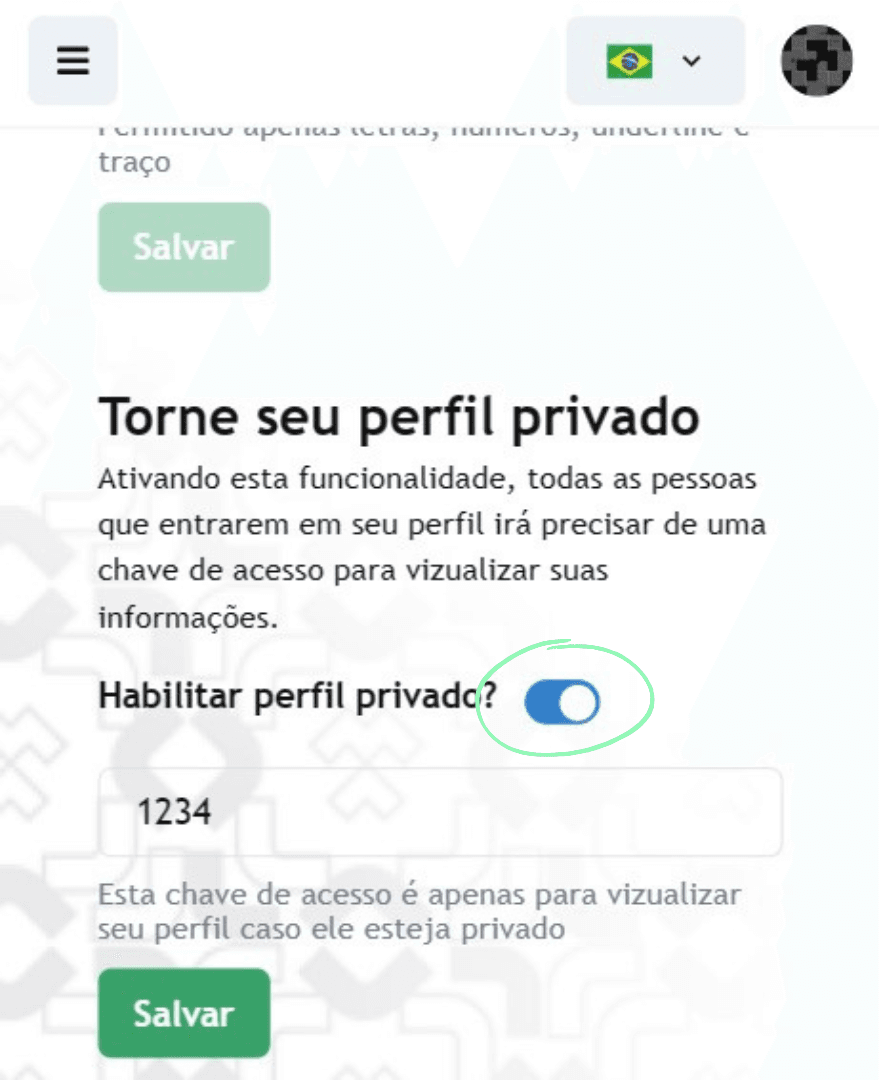
 4. Enable the Private Profile function and enter the desired password;
 5. Don't forget to click "Save" to complete the activation.
Disabling password protection
- Access the Profile Editing panel;
- Enter your registered email and password during activation;
- There on the left side of your editing panel is the Settings button;
4. Disable the Private Profile function;
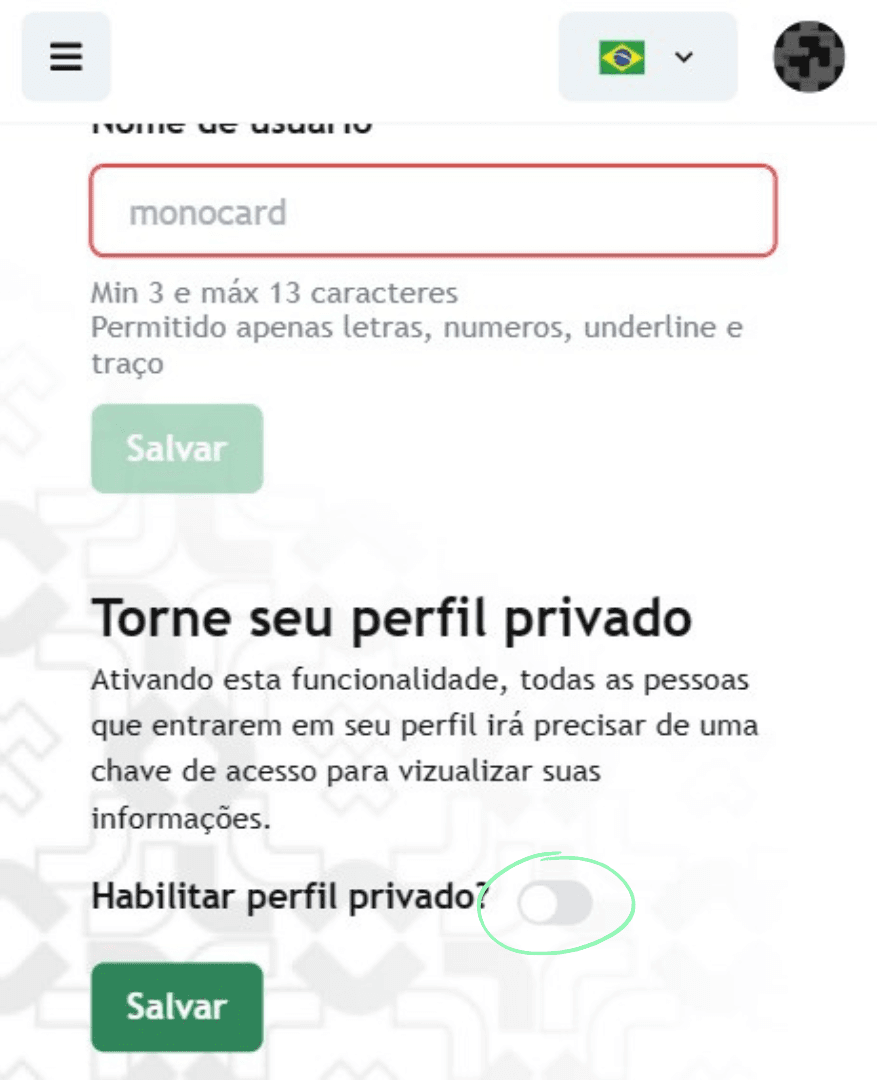 5. Don't forget to click "Save" to complete the activation.
Information that may also help you:
How to access the Login Area?
- Access the Profile Editing panel by clicking here;
- Enter your registered email and password during activation;
- There on the left side of your editing panel is the Edit Monocard button;
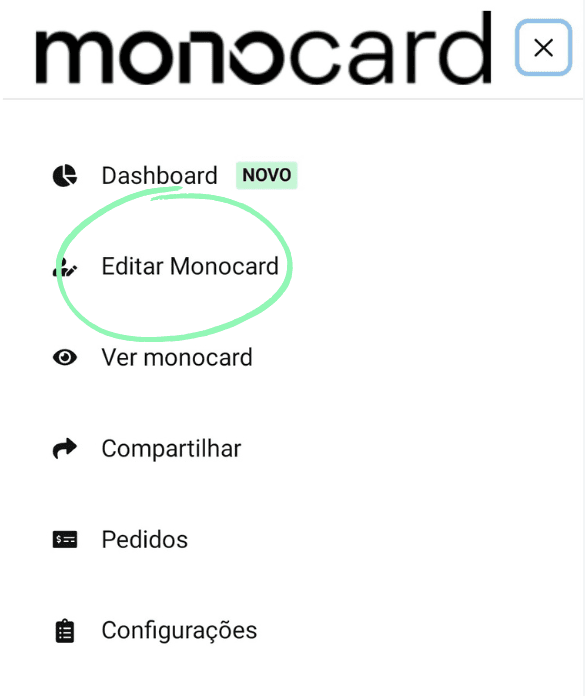
- All set! You can now choose the modules you want to add to your online profile!
Didn't this article help you?
Contact our support team via the website chat, WhatsApp or by email at contato@monocard.com.br.