To find your username on Mobile
Access the Twitch app on your phone and tap on your user, as indicated in the image below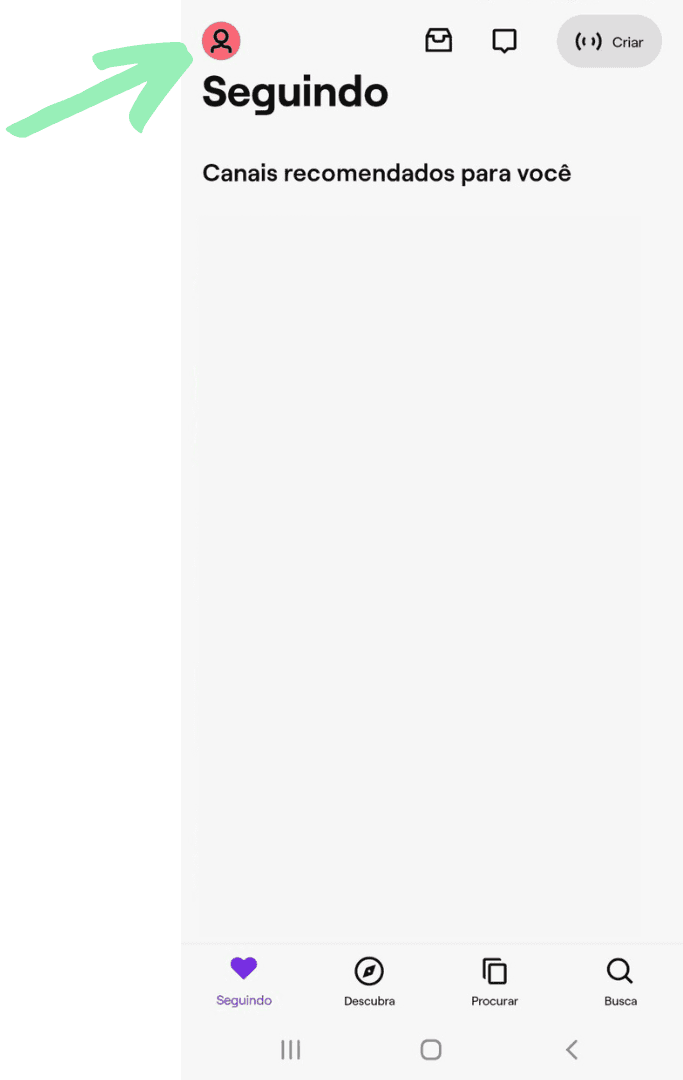
2. Copy your network username;
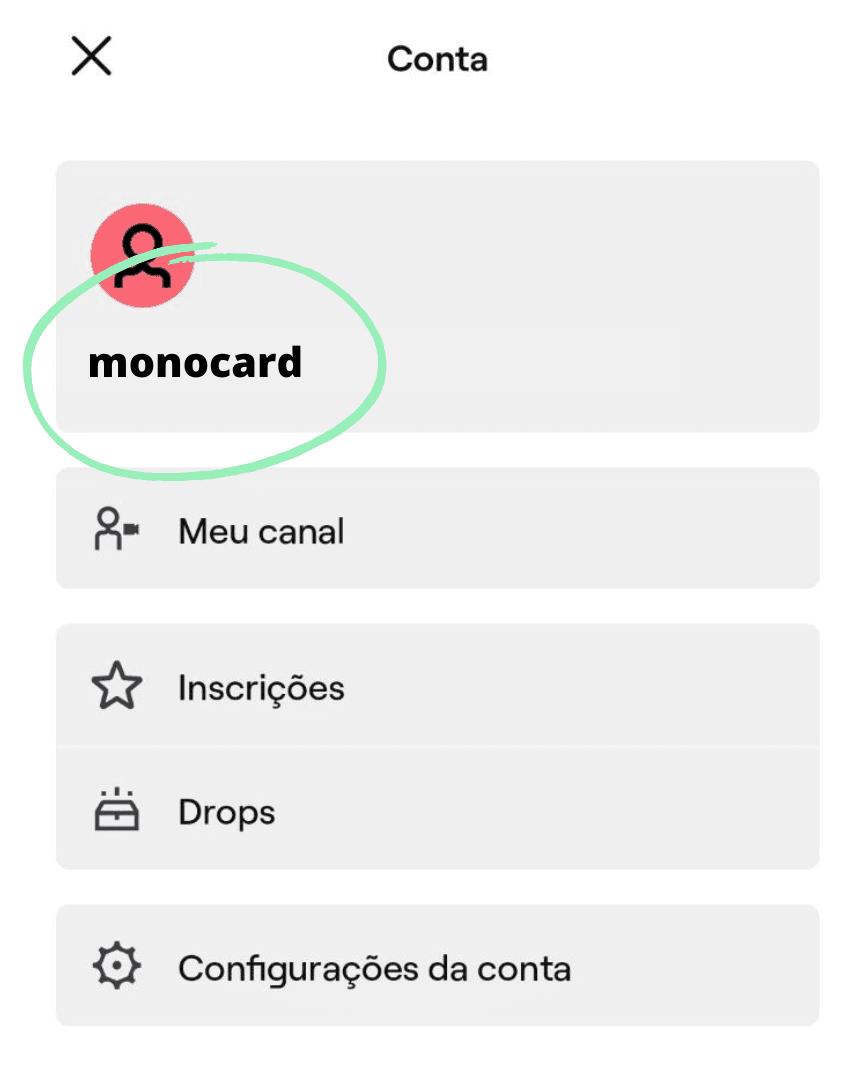
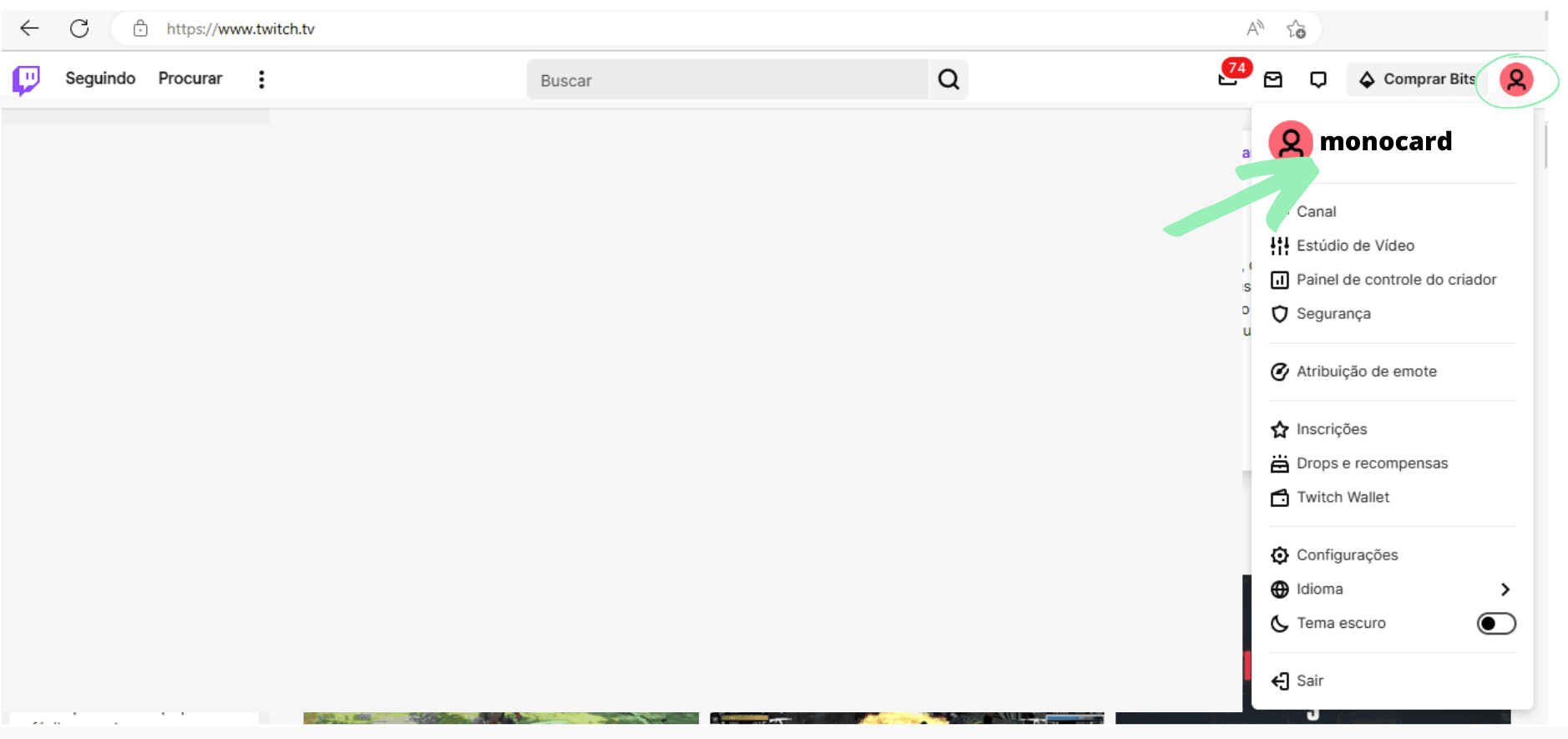
To find your username on desktop
Access the Twitch homepage and click on your user in the upper right corner - this code is your user registration on the network;
With your username in hand, it's time to register it in the Monocard profile
- Access monocard.me/login and log in to your account;
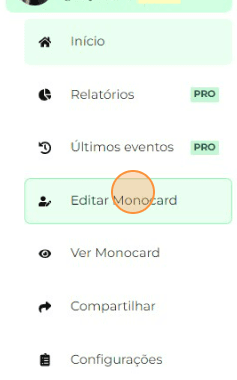
- Click on "Edit Monocard" on the left side of the panel;
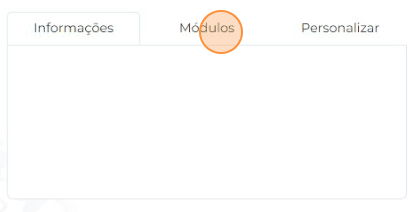
- Click on "Modules";
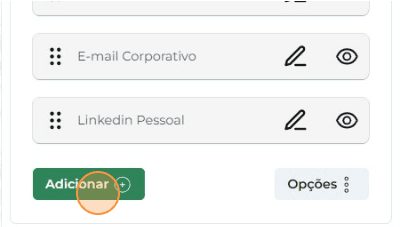
- Click on "Add";
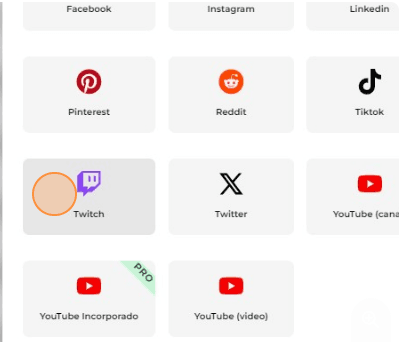
- Select the Twitch icon and enter the data;
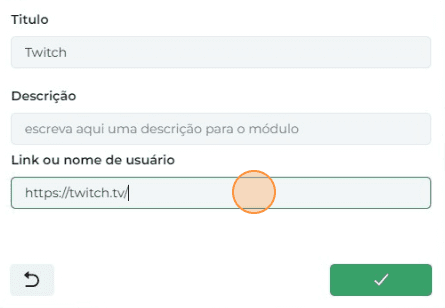
Attention: Do not include the @ or the link. Enter only the username.
- Click on “✔️” to finish;
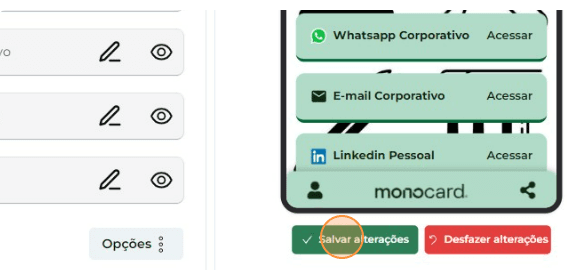
- Don't forget to save the changes when you finish editing your profile!
Information that can also help you:
Add your YouTube Channel to Monocard
Learn how to edit your Monocard
It is important to remember that in our Help Center you can access tutorials that teach you how to register email, phone, WhatsApp, Instagram, LinkedIn, Facebook, among others.
Just access 👉**our page**👈 and browse through the content we created with care for you!
Did this article not help you?
Contact our support team via the site chat, WhatsApp or by email contato@monocard.com.br.